


Colory - Color by Number
3.83.00 Reviews
App Specs
- Version
- vsb_1.2.1_7.7.8_30
- Updated On
- License
- Free
- Downloads
- 500,000+
- Developer
- SocBy
- Categories
- Art & Design
- Platform
- Android
Screenshots
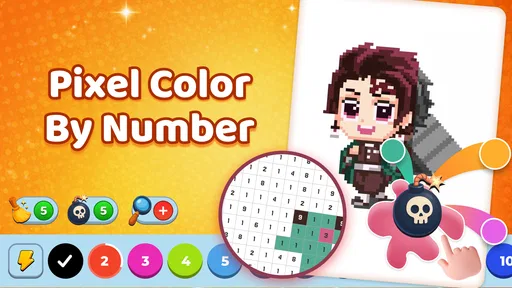
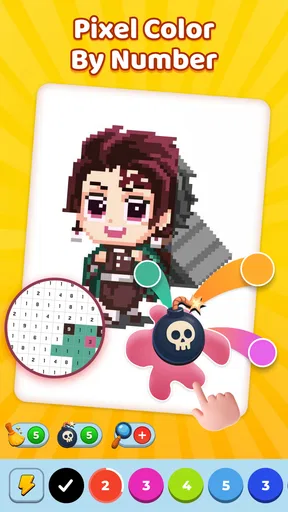

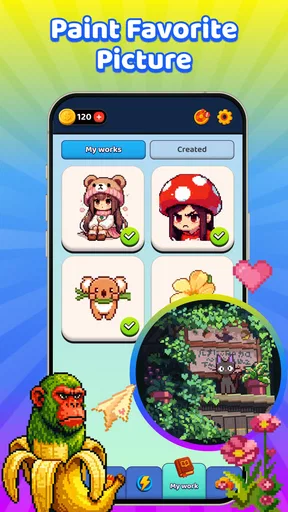

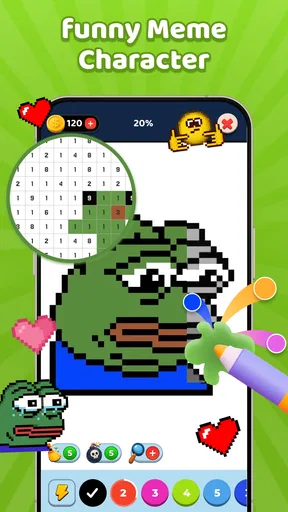


 Analysis by AppCompare
I approach Colory - Color by Number as a small, low-pressure art activity rather than a full drawing studio. That distinction matters: its appeal is the guided process of filling numbered areas, not the freedom to sketch every line yourself. It is a free art-and-design app from SocBy, and its central idea is simple enough to pick up when I have a few spare minutes. The useful question is whether that kind of structured coloring fits the way you want to unwind or make something shareable.
A simple activity, with a specific kind of creative freedom
Color-by-number gives me a clear next step: find the number, choose its matching color, and fill the corresponding spaces. That can feel pleasantly manageable when a blank canvas is intimidating, but it also sets limits. If you want to invent a composition, change the linework, or mix colors freely, a conventional drawing app is a better fit. Here, the creative choice is mainly about completing an illustration rather than designing one from scratch.
That makes the app especially suitable for a short break, a quiet evening, or a beginner who wants an approachable way into digital coloring. I would not choose it for detailed illustration work or for learning how to draw; I would choose it when I want a guided task with a visible finish. The distinction helps set expectations before you start.
Trust is about the choices you can actually see
When I try a creative app, I pay attention not only to the activity but also to what I can understand and control while using it. A photo-based art feature deserves particular care because an image may include faces, a home, children, or other personal details. Colory’s summary says photos can be imported, but that alone does not explain how an image is handled after import. I would avoid using sensitive photos unless I am comfortable with the choices the app visibly presents.
I also look for clear prompts and understandable options when an app asks for access to something on my device. I make decisions at the point they appear rather than assuming every permission is necessary. That is a practical habit for any app, and especially useful when the creative workflow involves personal pictures. I would check the device’s permission controls if I wanted to review or change access later.
Photos change the workflow—and the privacy stakes
Importing a photo can make a coloring activity feel more personal than selecting a ready-made illustration. A family snapshot, a pet photo, or a favorite travel image might be a satisfying starting point, but the source picture should be chosen thoughtfully. I would use a non-sensitive image first to see how the conversion suits me, then decide whether a more personal one is appropriate.
There is also a creative trade-off: a photo contains detail and shading that may not translate neatly into numbered areas. For a clearer result, I would start with a well-lit image, a simple subject, and a background that does not compete with it. That is a general photo-selection strategy, not a promise about a particular conversion result. If I care more about precise control over the final image than a quick transformation, a dedicated photo editor or drawing tool is likely a better choice.
Worth Reading Before You Choose

EA SPORTS FC Mobile 26 Is a Bigger Football Game, but It Takes Time

Flipboard Shows What News Apps Must Do Beyond the Feed

Switching to Android Auto Means Rethinking Your Driving Routine

Google Calendar Makes a Crowded Week Easier to Manage

Ludo King Makes the Most of the Minutes Between Plans

Baby Panda World Brings Quick Play to Modern Phones, but Its Game Library Feels Busy
Who will enjoy it, and who may want another tool
The app is aimed at people who like guided coloring and want to complete artwork without setting up a physical page. It may suit a beginner, someone who enjoys repetitive, low-stakes activities, or a parent looking for an age-appropriate creative option to explore together. Its Everyone content rating makes it broadly accessible, though I would still supervise a child’s device use and any sharing choices.
It is less suited to artists who need layers, brushes, precise selection, or full control over color and composition. It may also frustrate someone who dislikes tapping many small sections or prefers coloring with a stylus on an open canvas. In those cases, a standard drawing app—or paper and pencils—offers more control and a different tactile experience.
Colory has an average rating of 4.2 from around thirty ratings and more than 100,000 installs. Those figures suggest that people have found it, but they are not a substitute for deciding whether numbered coloring matches your own taste. The app is free, so trying its basic experience is a relatively low-commitment way to find out.
Coloring apps have taken the mobile world by storm, and if you're anything like me, you’ve probably stumbled upon a few of them. But let me tell you, Colory - Color by Number is not just another coloring app. It’s an experience that combines creativity with a bit of zen. Let’s dive into the colorful realm of and explore what makes it a standout choice for both Android and iOS users.
Diving into the World of Colors
Once you open the app, you're greeted by a vibrant palette and a simple interface that just screams, “Let’s get creative!” The app categorizes images into different themes like animals, mandalas, and floral patterns. But what really caught my eye was the variety of intricate designs available. Whether you're a beginner or a seasoned pro, there's something for everyone.
The user interface is intuitive, which is a relief because nobody likes fumbling around trying to figure out how to get started. You simply pick a picture, tap on a number, and voila! The app does the rest, filling in the colors for you. It's like color-by-numbers but without the mess of physical crayons or pencils.
Features That Add a Splash of Fun
One feature I absolutely adore is the daily new images. It’s like waking up every day to a fresh coloring page, and who doesn’t love surprises? Plus, the app offers a premium version where you get exclusive images and an ad-free experience. It’s reasonably priced, and if you find yourself getting hooked on coloring, it’s worth every penny.
There’s also a social aspect to the app. You can share your masterpieces with friends or even showcase them on a global platform. It’s a cool way to connect with other art enthusiasts and maybe even get a little inspired by their creativity.
Zen and the Art of Coloring
Beyond just fun, there’s something incredibly therapeutic about coloring. The app offers a stress-free environment to unwind after a long day. You can pop in your earphones, play some soothing music, and just lose yourself in the colors. It’s a digital detox that’s both relaxing and rewarding.
It’s not just me who finds it calming; many users have noted how it helps them manage stress and anxiety. The simple act of tapping and watching the colors come to life is kind of magical and a great way to practice mindfulness.
Technical Bits and Compatibility
Colory - Color by Number is available on both Android and iOS, and it runs smoothly on most devices. It doesn’t hog much space either, which is a blessing for those of us always battling storage issues. The developers have done a commendable job ensuring the app is bug-free, and regular updates keep it fresh and engaging.
Download links are easily accessible, and installation is a breeze. Just a few taps, and you’re ready to start your colorful journey.
For a realistic everyday use, I can picture opening a page while waiting for a train or taking a quiet break between chores. I would choose a design that can be finished in short stretches, then return to it when I have time. That is where numbered coloring has an advantage over starting a drawing from scratch: the task is already defined, so I can pause without needing to decide what to make next. The trade-off is that the activity can become repetitive if I want more expressive control than tapping numbered regions allows.
Choosing an image and settling into a session
My practical tip is to treat the first picture as a test of the interaction, not a test of artistic skill. Pick an image whose shapes are easy to follow, learn how the app indicates the current number, and see whether the tap-based pace feels comfortable. If the picture has many tiny areas, it may demand more precision and patience than a quick break allows. Saving the more intricate designs for a longer, calmer session can make the experience feel less like a chore.
For a photo-based project, I would use a duplicate or a picture I am happy to experiment with rather than the only copy of an important image. I would also preview the result before sharing it, especially if the source photo contains recognizable people or places. That simple sequence—choose carefully, inspect the conversion, then decide whether to share—keeps creative decisions separate from privacy decisions.
How it compares with other ways to color
Compared with other color-by-number apps, the appeal here is the combination of numbered coloring and the option to start from a photo. That gives it a different route into a finished piece than apps that focus only on a library of pre-drawn pages. But if browsing a large catalog is your main priority, you may prefer an alternative whose collection and organization you have already tried and liked. The important comparison is not which app claims to have more art; it is whether you prefer completing prepared illustrations or turning a personal picture into a coloring project.
Against a general-purpose drawing app, Colory is easier to approach but much less open-ended. A drawing tool is better for sketching, editing individual marks, or building a polished image with deliberate control. Against traditional coloring books, this app avoids carrying supplies and makes it easy to work on a phone, while paper offers a tactile feel and does not depend on a screen. I see these as different uses, not replacements for one another.
What to check before making it part of your routine
Colory is free and carries an Everyone age rating. It was released on March 12, 2026, and the current version is vsb_1.0.1_7.3.5_9; it supports Android 7.0 and above. Those details help with basic compatibility, but I would still check the app’s permission prompts and the controls on my own device before importing personal images. If I were choosing it for a child, I would also decide in advance whether sharing artwork is appropriate and stay involved when that option comes up.
A useful question is whether I can enjoy the process even when I do not finish a picture immediately. If the answer is yes, the app can fit into small pockets of time. If I need every session to produce a polished, highly customized result, its guided format may feel limiting. Another question is whether using a phone screen for close tapping feels comfortable; for someone who finds small touch targets tiring, a larger screen or a stylus-based drawing app could be a better match.
Wrapping It Up
In a nutshell, Colory - Color by Number isn’t just an app; it’s an invitation to explore your artistic side while finding a pocket of peace amidst a busy day. The combination of a user-friendly interface, diverse artwork, and a soothing experience makes it a must-try for anyone looking to add a splash of color to their daily routine.
If you’re ready to unleash your inner artist, this app is your perfect companion. So go ahead, download it, and let your creativity flow!
My cautious verdict
I would recommend Colory to someone who wants a structured, approachable coloring activity and is comfortable judging image choices and sharing options for themselves. I would not recommend it as a substitute for a drawing studio, nor would I import a sensitive photo without first considering the visible choices in the app and on my device. Its free access makes an initial try easy, while the numbered format makes its strengths and limits clear quickly.
The trust question is best handled with ordinary care rather than assumptions: review permission requests when they appear, use device settings to manage access, and be deliberate about which pictures you bring in or share. If that cautious approach suits you and the guided pace sounds relaxing, this is a reasonable app to try. If you want transparent, detailed controls to be the deciding factor, inspect those choices before making it part of your routine.
Pros
- User-friendly interface makes coloring easy.
- Wide variety of images to choose from.
- Regular updates with new content.
- Offline mode available for uninterrupted play.
- Helps reduce stress and anxiety.
Cons
- Contains ads that can interrupt gameplay.
- Limited features without a subscription.
- Some images require in-app purchases.
- Occasional app crashes reported by users.
- Lacks advanced tools for detailed coloring.
FAQs for Colory - Color by Number
What is Colory - Color by Number and how does it work?
Colory - Color by Number is a digital coloring app that allows users to create beautiful artworks by filling in numbered sections with specific colors. The app provides a wide range of images, from simple designs to intricate patterns. Users simply tap on the numbered areas to apply the corresponding color, making it a relaxing and fun activity for all ages.
Is Colory - Color by Number free to use?
Colory offers a free version with a selection of images and coloring tools. However, there are in-app purchases and subscription options that provide access to premium features, such as an ad-free experience, exclusive designs, and advanced color palettes. Users can choose the plan that best suits their needs.
What features does Colory - Color by Number offer to enhance the coloring experience?
Colory includes a variety of features to enhance the user experience, such as a zoom function for detailed work, a hint system to assist with difficult sections, and daily new image updates. Additionally, users can save and share their completed artworks on social media directly from the app.
Is Colory suitable for children and does it offer educational benefits?
Colory is suitable for children as it is designed to be user-friendly and promotes creativity and concentration. The app can serve as an educational tool by helping children recognize numbers and colors, improve hand-eye coordination, and develop fine motor skills, all while having fun.
What devices are compatible with Colory - Color by Number?
Colory is available on both Android and iOS platforms, making it compatible with a wide range of smartphones and tablets. The app requires an internet connection for downloading new images but can be used offline for coloring, providing flexibility for users on the go.


